01 /
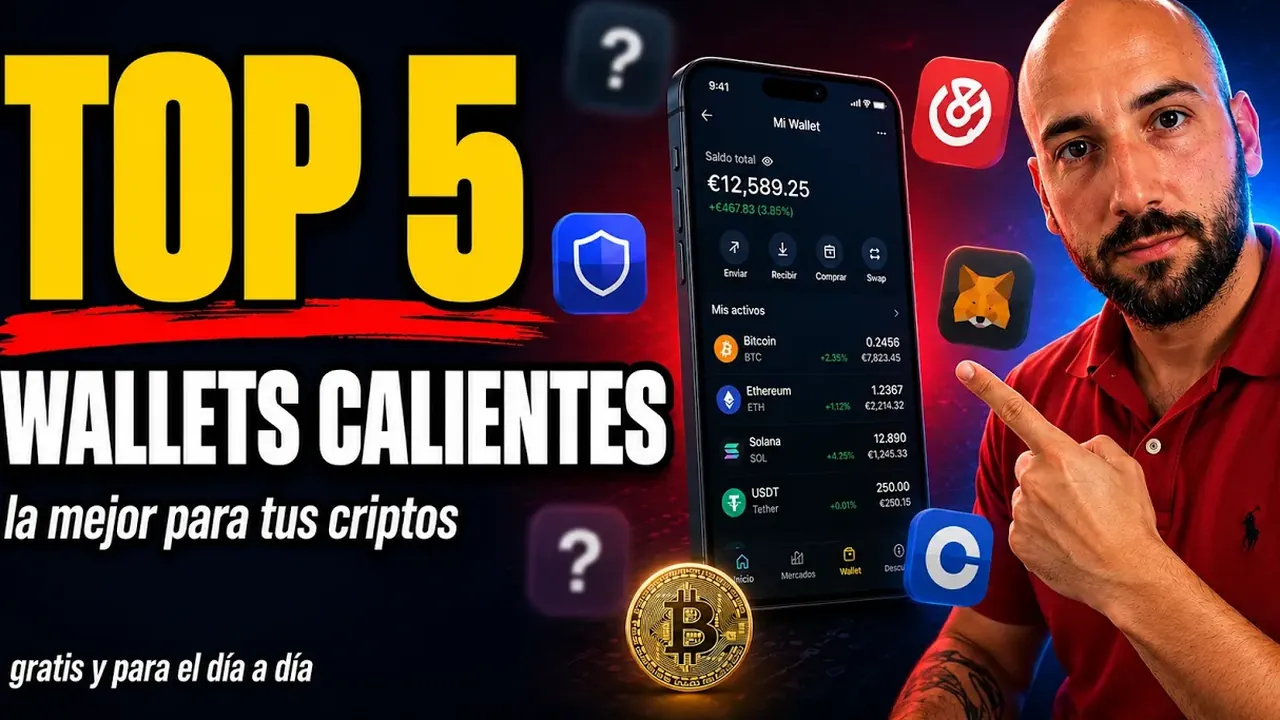
My top 5 on video and what has changed since July
In the video I go through the five hot wallets I think are best for 2026, the free ones, the everyday ones: what each one is good for, their real drawbacks and which to pick depending on what you hold. With a heads-up: this year's number 1 has dethroned the one that had been queen for years. If you're “team MetaMask for life,” as I ask in the description, the video is going to sting a little.
This page doesn't repeat the video's ranking: it expands it to seven wallets and brings it up to date, because a lot has moved in three months. Instead of another numbered list, I give you a profile of each wallet and, at the end, which one fits each use. There are no affiliate links to any of these wallets on this page; the only ones are for Ledger and Trezor, at the end, as the next step. And here's the line from the description that matters most:
Remember: no hot wallet is as safe as a cold one for large amounts.
02 /
How I rate them (and why there's no objective number 1)
There's no independent metric that says which hot wallet is best. Almost all rankings are editorial and many of them earn commissions: The Block, for example, puts Rabby first in its 2026 ranking, and CoinGecko places Trust Wallet ahead of MetaMask. The user figures you'll see around, like the more than 220 million Trust Wallet says it has, are published by each company about itself. My criteria, in this order:
- Custody model: a seed phrase of your own, a Google or Apple login, or a key split with a server (MPC). The more you depend on a third party, the more convenient it is and the less it's yours.
- Networks: whether you only use Ethereum and its compatible networks, or also Solana and Bitcoin.
- Track record: what has failed, how they disclosed it and whether they paid people back.
- Protection before signing: transaction simulation, risk warnings and permission management.
- Compatibility with cold wallets, for when you take the next step.
- What comes built in: more and more wallets include leveraged derivatives and prediction markets. I don't count that as an advantage: when you're starting out, the less noise, the better.
03 /
The seven at a glance (October 2026)
04 /
Wallet by wallet: what each one is for
MetaMask: the Ethereum standard, now multichain
It's the wallet half the world starts with on Ethereum and the one almost every DeFi website offers by default when you connect. Between 2025 and 2026 it stopped being EVM-only: it added Solana to the extension in May 2025, native bitcoin on December 15, 2025 and Tron in January 2026, all grouped under a single account. Since August 2025 you can create it with Google or Apple, although underneath there's still a 12-word secret phrase.
Watch out: MetaMask has no token. Its co-founder, Joe Lubin, confirmed in 2025 that there would be one, but as of October 2026 it hasn't launched, so any website offering to let you “claim” a MetaMask token wants your seed. On September 30, 2026, it acknowledged a security incident in part of its infrastructure; according to the company, there are no signs that users' wallets or funds were affected. And it has perpetual derivatives and prediction markets built in, which aren't for beginners.
Trust Wallet: the multichain wallet for your phone (with a December to forget)
It belongs to Binance, works with more than 100 blockchains and is very convenient for keeping everything on your phone without fighting with networks. The company says it has more than 220 million users, its own figure that nobody audits.
Watch out: on December 24, 2025, a tampered version of its extension, 2.68, was published on the Chrome Web Store with credentials stolen from its developers in a supply chain attack. For two days it sent the seed phrases of anyone who opened it to a server run by the attackers: 2,520 addresses emptied and about $8.5 million gone. The mobile app wasn't affected, version 2.69 fixed it and Trust Wallet announced voluntary refunds. In 2023 it had already refunded users for another flaw in its extension, which had created wallets with weak randomness.
Phantom: the Solana wallet that wants to do it all
It was born for Solana and is still the benchmark there, but it now works with Ethereum, Bitcoin, Base, Polygon, HyperEVM and other networks, and it says it has more than 20 million users. It warns you about malicious transactions before you sign them and connects to a Ledger, over USB in the extension and over Bluetooth on mobile.
Watch out: in 2026 it dropped support for Sui (on September 24) and for Monad. Your funds are still on those networks, but to move them you'd have to import the seed into another wallet. Like MetaMask, it offers leveraged derivatives and prediction markets depending on the country.
Rabby: the most careful option for DeFi on Ethereum
It's open source, developed by the DeBank team and works only with Ethereum and compatible (EVM) networks. Its strong point is what happens before you sign: it scans for risks and shows you how your balance will change before you confirm, and it includes a manager to review and revoke permissions. It integrates with Ledger, Trezor, Keystone, BitBox02 and other cold wallets.
Watch out: it's no use for Solana or native bitcoin. In October 2022, less than a month after it launched its swap feature, a flaw in that contract allowed funds to be drained from people who had given it permissions, and Rabby asked its users to revoke them.
Exodus: simple for storing, no longer for DeFi
Pretty, easy and with desktop and mobile apps, Exodus has been many people's first wallet for years, and you can use it with a Trezor or a Ledger.
Watch out: on October 1, 2026 its browser extension stopped working, and on mobile it has removed WalletConnect and the dApp browser. Today it's for storing, sending and swapping, not for connecting to decentralized applications. If you had funds in the extension, your 12-word phrase lets you restore them in Exodus Mobile or in another compatible wallet.
Coinbase Wallet: the old name is back
It's Coinbase's self-custody wallet, separate from your account on the exchange: here the keys are yours. In July 2025 it was renamed “Base App,” with a social network included, and on September 10, 2026 it got the Coinbase Wallet name back to focus on trading. It works with 11 networks, from Base and Ethereum to Solana and Bitcoin, and supports both the classic phrase and smart wallets with a passkey.
Watch out: because of the name, many people confuse it with the exchange. It also includes derivatives, prediction markets and tokenized stocks, with restrictions depending on the country.
Zengo: no seed phrase (and not everything in your hands)
Zengo replaces the private key with two parts created separately, one on your phone and the other on its servers, which sign together without ever revealing themselves: that's what's called MPC. The backup is recovered with your email, a file in your personal cloud and, on older accounts, a face scan. eToro announced its acquisition in April 2026.
Watch out: it's convenient precisely because you depend on third parties: on Zengo's servers and on your iCloud or Google account. Zengo says none of its wallets has ever been hacked, but that's the company's own claim.
05 /
Which one to use for what you're going to do
- Your first wallet, to take crypto off the exchange: MetaMask if you're going to move around Ethereum and its networks; Trust Wallet if you want lots of networks on your phone without complications.
- DeFi on Ethereum, Arbitrum or Base: Rabby, for the checks before signing; MetaMask as the universal alternative.
- Solana, its memecoins and its NFTs: Phantom.
- Storing and sending without touching DeFi: Exodus, on desktop or mobile.
- Losing a piece of paper with 12 words terrifies you: Zengo, knowing that you pay for the convenience with dependence.
- You already use Coinbase and want self-custody without leaving its ecosystem: Coinbase Wallet.
For long-term bitcoin, none of these is my first choice: that's where a cold wallet makes the most sense. And if you're starting from zero, first read how to start in crypto and hot vs cold wallet.
Chapters (7)
06 /
The real risks and how to dodge them
A hot wallet almost never gets “hacked” like in the movies. What usually happens is that someone tricks you into doing what you shouldn't, or the software you use gets contaminated along the way. These are the five risks that come up most often:
- Fake websites and apps. As of October 2026, copies of help pages for Phantom, Zengo or Trezor are circulating, hosted on domains such as wasmer.app or teachable.com that have nothing to do with those companies. Download the wallet only from its official website (metamask.io, phantom.com, rabby.io…) or from the app store link that same website gives you.
- Trick signatures. A malicious contract doesn't need your seed if you give it permission to move your tokens. Read what you're approving, be wary of unlimited approvals and revoke the ones you no longer use.
- Poisoned addresses. Address poisoning plants in your history an address almost identical to one you use. A two-year study on Ethereum and BNB Chain counted 270 million attempts against 17 million victims. Always copy from the wallet or from your contacts list, and check the characters in the middle too.
- Poisoned updates. What happened to Trust Wallet in December 2025 can happen to any extension, because extensions update themselves. Don't keep more in an extension than you're willing to lose.
- Fake support. No wallet has a support line that asks for your phrase or writes to you on Telegram or WhatsApp. MetaMask repeats it in every warning: it will never ask for your Secret Recovery Phrase.
07 /
Your first hot wallet: my MetaMask tutorial
If you've never used one, this is the video I'd put in front of you. In it I show you how to create the wallet step by step, how to store the seed phrase without messing it up (minute 6:49), how to buy and how to move funds from MetaMask to the exchange and back. And I say it in the description too: download MetaMask only from the official website, metamask.io.
Chapters (5)
- 01
Copy the address from MetaMask
Never from your history or from a message. Check the beginning, the end and a stretch in the middle.
- 02
Pick the same network on both sides
If you withdraw USDC over Arbitrum, your wallet has to be on Arbitrum. Getting the network wrong is the silliest way to make your life complicated.
- 03
Send a small test
Send a minimal amount, wait for it to arrive and only then send the rest.
- 04
Expect the travel rule
If you live in Spain or elsewhere in the EU and move more than €1,000 between a European exchange and your wallet, the platform may ask you to prove the address is yours: Regulation (EU) 2023/1113 requires it.
- 05
Keep a little for fees
On most networks you need a bit of the native coin, like ETH on Ethereum, to pay for gas. Without it, your tokens get stuck.
If you don't have an account on a MiCA-licensed exchange yet, start with how to buy bitcoin or with the exchanges section. And if you're wondering whether it's worth taking your crypto off the exchange, this video is about exactly that:
08 /
The next step: hot for spending, cold for saving
The combination that makes the most sense for almost everyone is a hot wallet for daily use and a cold one for savings. And you don't have to choose between convenience and security, because many hot wallets work as the screen for a cold one. The MetaMask extension supports Ledger, Trezor and Lattice over a cable, and Keystone or NGRAVE ZERO through QR codes; on mobile, Ledger, Keystone and NGRAVE ZERO. Rabby integrates with Ledger, Trezor, Keystone and BitBox02, and Phantom with Ledger.
That way, the hot wallet prepares the transaction and the cold one signs it internally: even if your computer has malware, the key doesn't leave the device and you confirm the address on its screen. My setup, sin humo (no hype):
- A hot account with what you're going to use this month in DeFi or for payments.
- A cold account, connected to the same wallet, with your savings. Important signatures are always reviewed on the device's screen.
- Two different seeds. If you import your cold wallet's seed into MetaMask, you've just turned it into a hot wallet. The cold one gets connected, not imported.
If you make the jump, buy the cold wallet from its official store. These are the two I recommend; the links are affiliate links and you pay the same as on their websites:
You'll find the full comparison in the best cold wallets of 2026 and the head-to-head in Ledger vs Trezor. For the seed, scams and inheritance, see the security section.
This is NOT financial advice. It's my personal analysis. Always do your own research.
Keep learning